persoo Recruiting · applicant management

Find new staff. Decide together.

Put a job posting online, collect applications and rate them as a team. Then you accept or decline one by one — and anyone you accept is in your staff pool straight away, with all their master data.

Start for free How it works

Included in the persoo price · no cost per application · no retyping

How it works

From job posting to team

No inbox full of attachments, no Excel list of applicants, no retyping.

1

Post a job

An application page with your logo, image, event, venue and period. Applicants choose the days they're available. You share the link everywhere.

2

Collect applications

You decide which details are visible or required, plus your own questions and uploads. Every application is confirmed by email before it reaches you.

3

Vote as a team

Every team member votes: definitely invite, reserve or rather not. With internal comment, tally, filter and sorting — the gut feeling of the whole team at a glance.

4

Decide one by one

Invite to an interview, accept or decline — each with an email template you can adjust and preview before sending. If you like, declines can also go out without an email.

The difference

Accept — and the person can be scheduled straight away.

On acceptance, persoo adds the person to your staff pool and transfers what they entered in the application form. You can invite them to shifts right away.

  • Contact, address, date of birth, driving licence, T-shirt size and more go into the profile
  • Answers to your own staff fields are transferred too
  • Automatic tags on acceptance, e.g. “Summer party” or “New 2027”
  • The person has confirmed their address and is active straight away — no second invitation needed
  • Existing details are never overwritten: anyone who already works for another agency stays in control of their data

Features

Everything for your job posting

Tailor-made fields

Hide any detail, make it visible or required — per job posting. Plus your own questions as text, image or file, for example for a CV or health certificate.

Days to choose from

For multi-day events, applicants tick the days they're available. That way you're already planning while you select.

Spam protection

Confirmation by email (double opt-in), invisible spam protection without a captcha and a daily limit per job posting. Uploads are checked for malware.

Legal texts & consents

You link privacy policy, terms of participation and consents once. Which version was agreed to stays stored and traceable.

Emails in your own words

Your own texts for confirmation, interview invitation, acceptance and decline — with your logo. You see the preview before every send.

Status at a glance

New, interviewing, accepted, declined — with a reason. After a decline you can still invite someone later or bring them into the pool.
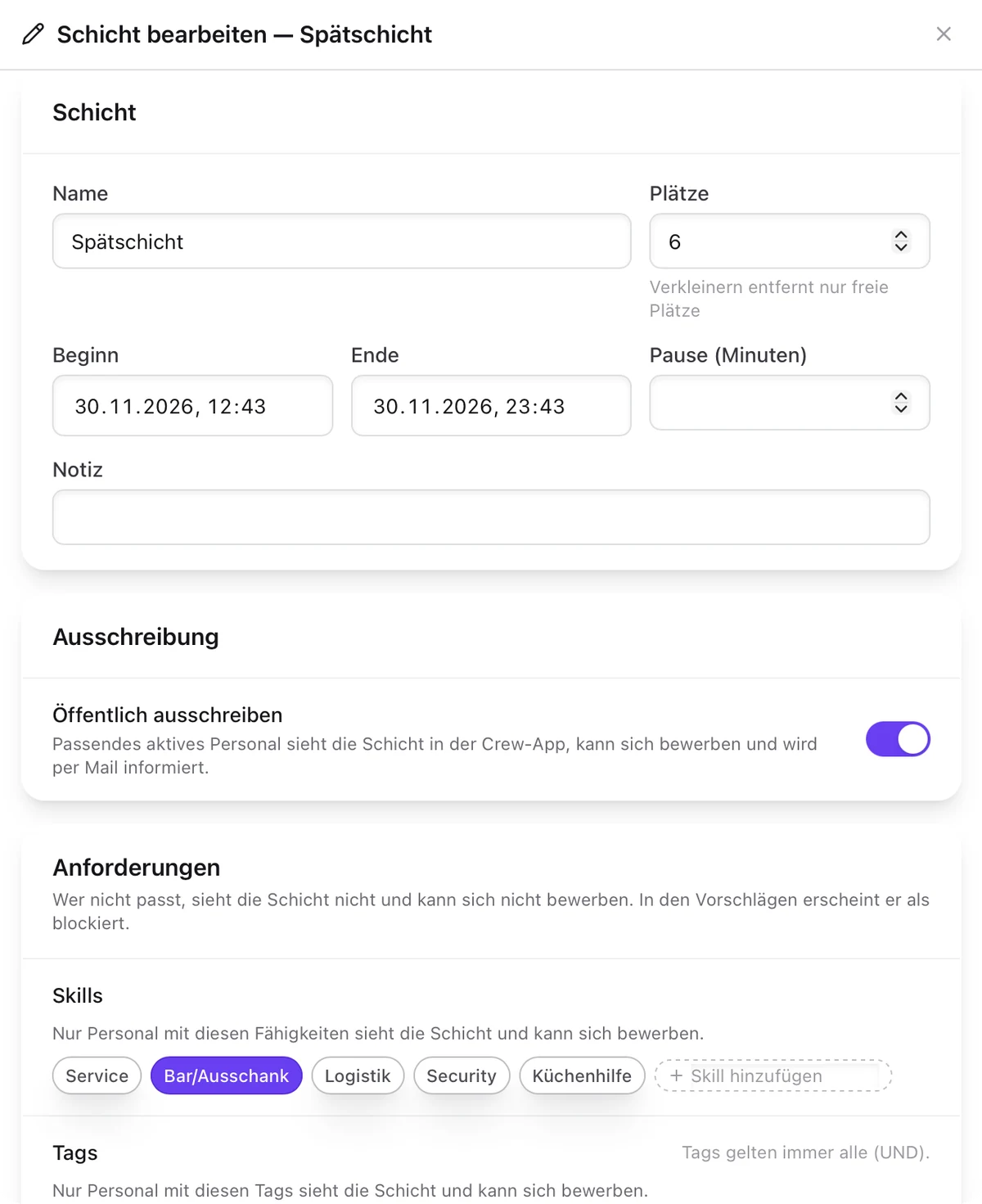
“Edit shift” dialog in persoo: slots, times, “Post publicly” switch and skill requirements
Posting a shift in team.persoo.de (test data, German interface)

Already in the pool?

Post shifts — your staff apply

It's not only newcomers who apply: with one switch you post a shift for your existing staff. Anyone who fits sees it in persoo Crew, gets an email and applies with one click.

  • Requirements such as skills and tags control who sees the shift at all
  • Applicants appear directly in the free slots on the planning board
  • Accept or reject — decided applications disappear immediately

FAQ

Questions about recruiting

Does persoo Recruiting cost extra?

No. Job postings and applications are included in the persoo price. As always, you only pay for confirmed slots in shifts. Files uploaded by applicants count towards your storage. See pricing

Do I have to retype incoming applications?

No. When you accept an application, persoo transfers the details from the application form into the person's profile and adds them to your staff pool. They can be scheduled immediately. A person's existing details are never overwritten.

How does persoo prevent spam applications?

Every application has to be confirmed by email before it shows up for you. On top of that there is invisible spam protection without a captcha and a daily limit per job posting.

Can several team members have a say?

Yes. Every team member casts one vote per application: definitely invite, reserve or rather not. You see the tally, can filter and sort by it and add an internal comment.

Your next crew — found.

Create your account, set up a job posting and share the link. Applications cost nothing.